Siftrio
Connect every decision, discussion, and task into one intelligent workspace.
How Siftrio Works
Siftrio automatically organizes meetings, code, tasks, and documents into one searchable AI project memory.
Step 1
Siftrio connects directly to the tools your team already uses. Each integration is optional and only accesses the data needed for its specific feature.
Google Calendar
Schedule meetings and allow Siftrio to automatically add the Fireflies AI meeting assistant.
Fireflies AI
Joins meetings, records conversations, and generates searchable transcripts.
Jira
Import issues, epics, sprint updates, and project tasks.
Documents
Upload PDFs, specifications, meeting notes, and technical documentation.
Step 2
Your connected data feeds into Siftrio's AI Engine, which automatically organizes, links, and indexes everything into a unified project memory.
Siftrio AI Engine
Processes everything you connect and builds a searchable, contextual memory of your entire project.
Step 3
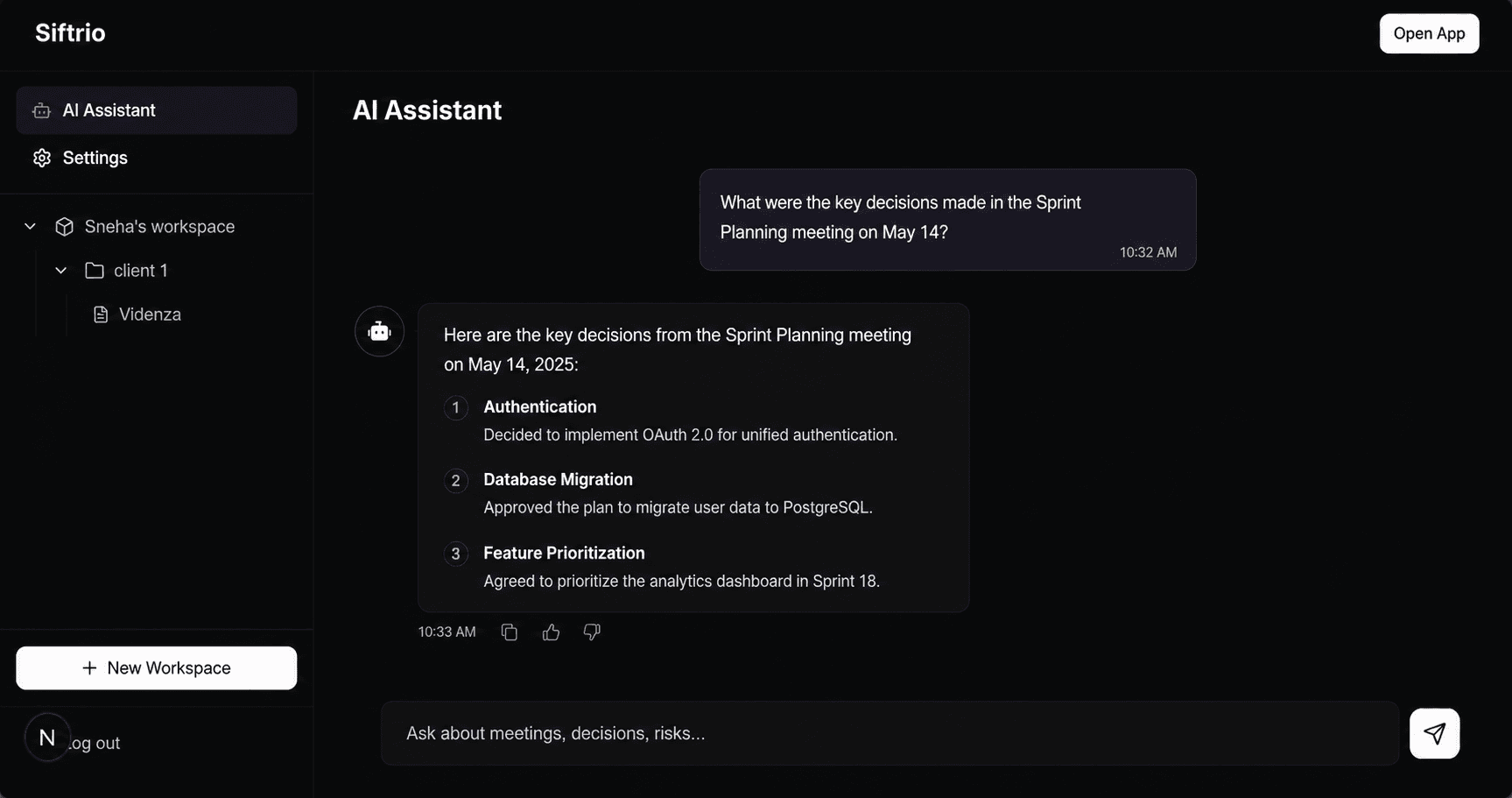
Ask questions about your project in natural language. Siftrio understands your meetings, code, tasks, and documentation — and answers with source-backed context.
The authentication flow was updated after discussion during Sprint Planning.
Relevant sources
Your connected data stays under your control. Siftrio only accesses the services you explicitly connect to organize project knowledge and answer your questions with source-backed context. Data is never accessed beyond the permissions you grant.
Product
Every meeting, decision, and action lives in one intelligent workspace, giving your team and AI a shared understanding of the entire project.
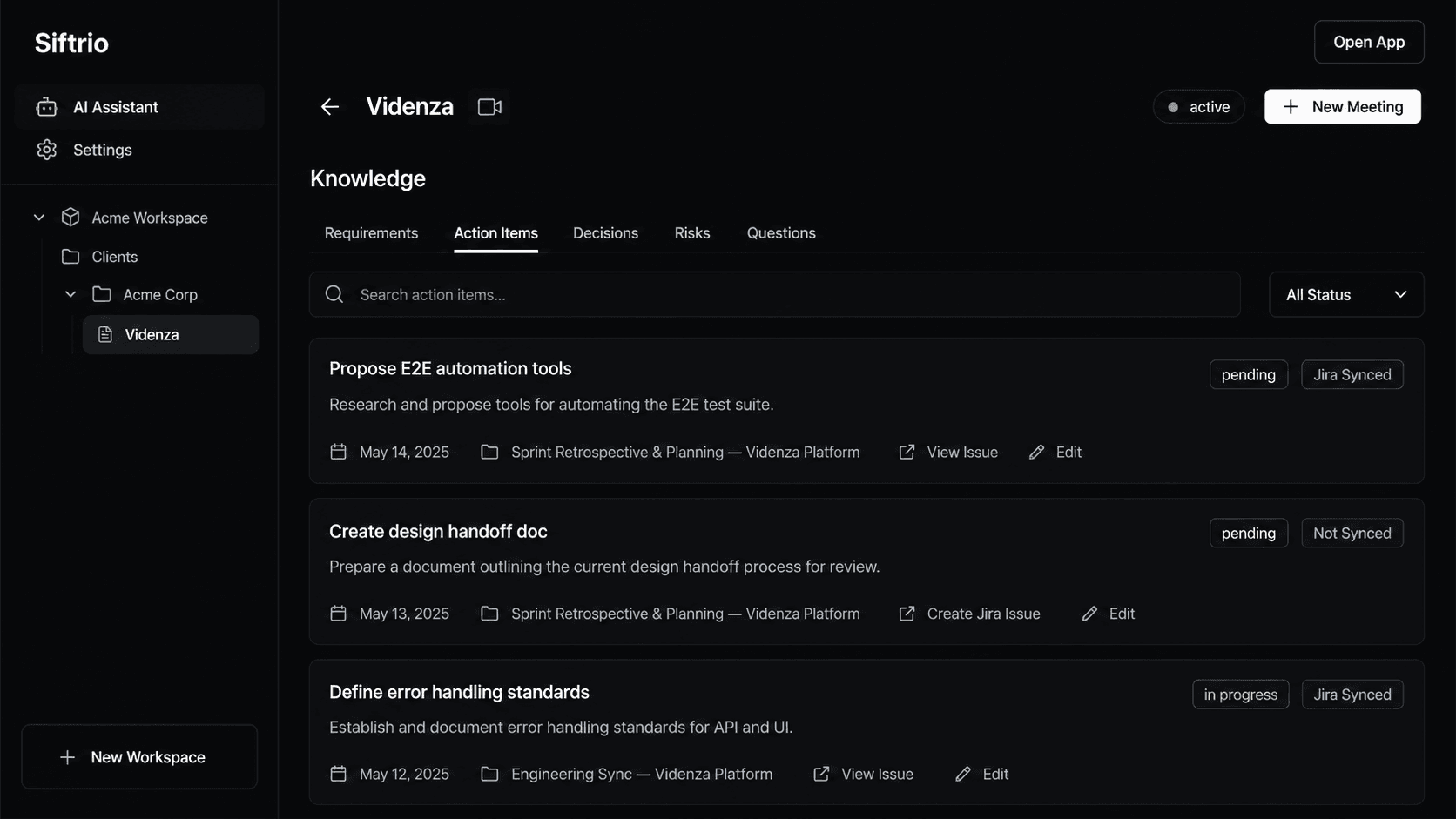
AI Assistant
Ask questions about meetings, decisions, action items, requirements, risks, project history, Jira, or documentation. Siftrio understands your entire workspace and answers with complete context.
MCP Server
Use Claude Desktop, Cursor, VS Code, Windsurf, or your own AI agents with secure access to your Siftrio workspace through the Model Context Protocol.
One protocol. Every project. Unlimited context.
MCP Server
Use Claude Desktop, Cursor, VS Code, Windsurf, or your own AI agents with secure access to your Siftrio workspace through the Model Context Protocol.
One protocol. Every project. Unlimited context.
